Indie and Desktop Robots
Indie robots are small, low-cost and usually open source. They are built by hobbyists, schools, startups and research groups, often from 3D-printed parts and inexpensive motors, to learn with, to teach with, or just to enjoy. Many sit on a desk.
Typical characteristics
- Open designs. The files, the code and often the build instructions are public, and you can print and assemble the robot yourself.
- Low-cost actuators. Hobby servos and stepper motors are common, so the motion is less precise than an industrial arm.
- Every kind of robot, in small. Desktop arms, robot dogs, bipeds, wheeled education bases, and expressive heads. The class is defined by who builds it and what it costs, not by how it moves.
- Education and research. Many are meant to teach robotics, ROS, navigation or reinforcement learning, such as TurtleBot3 Burger, Kobuki and iRobot Create 3.
- Unusual mechanisms. Reachy Mini moves its head on a six-DOF Stewart platform, a parallel mechanism with several linked chains instead of one chain of joints.
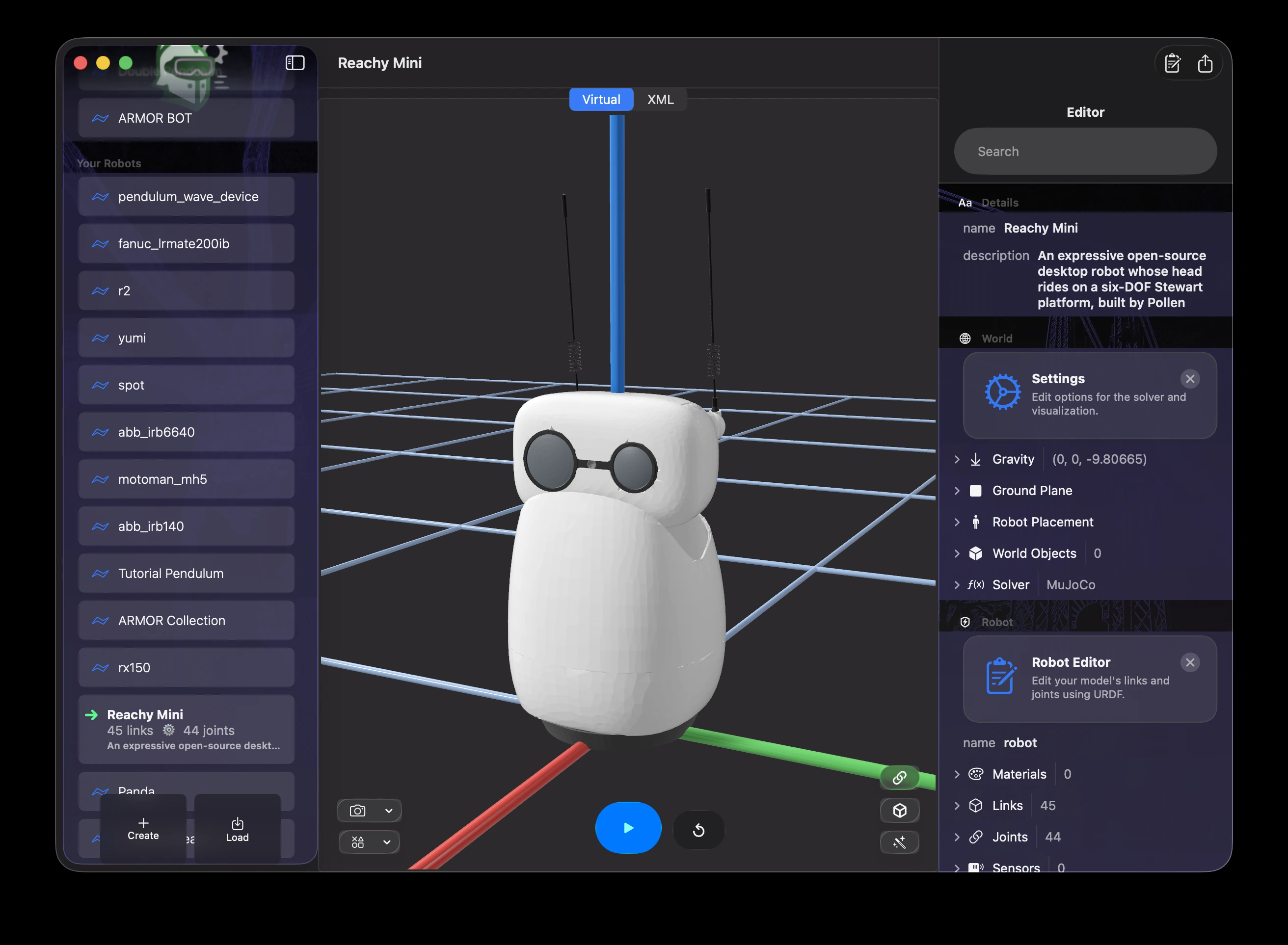
A desktop robot, Pollen Robotics’ Reachy Mini, in ARMOR on a Mac, with the Inspector panel open beside it.
In a URDF and in ARMOR
- Check the base type. A desktop arm such as PAROL6 is fixed. A robot dog, a biped or a wheeled base is free-floating. See Worlds & Robot Placement.
- Mass data is often missing. Hobby descriptions are often exported from CAD without masses or inertia. ARMOR can estimate them from the meshes: see Mass and Inertia.
- Scale and units. Meshes exported in millimeters need a scale in the URDF, or the robot appears a thousand times too large. If a loaded robot looks the wrong size, check the mesh
scalein the Links editor. - Parallel mechanisms. A URDF can only describe a tree of links, so a Stewart platform or a four-bar linkage is simplified or approximated with mimic joints.
- Servo behavior. Real hobby servos have backlash and limited torque. A URDF records the joint limits, and the real hardware may do less than the model.
- Pair them with a controller. To move a robot under physics, give its joints controllers: see ros2_control Actuators.
- Descriptions can change. Open-source projects reorganize their repositories, and a description may move. The gallery links to the maker’s repository, so what you get is what the maker publishes.
Real-world use and tradeoffs
Indie robots lower the cost of learning. A student can build and program a robot arm, a robot dog or a small biped for a fraction of what an industrial or commercial robot costs, and can change the design. Because the designs are open, a model in ARMOR can match the hardware on a desk, and what you test in simulation can be run on the real thing.
The tradeoffs are precision, strength and polish. These robots carry little, drift out of calibration, and may need tuning. Documentation and robot descriptions vary in quality from one project to the next, so check a loaded model before trusting it.
Where the field is heading
As of late 2026, the biggest shift is how cheap it has become to start with learning-based robotics. Prices and availability move fast, so check a maker’s current page before you plan a purchase.
- A common entry arm. The SO-101 is a low-cost 3D-printed arm that has become a common starting point for Hugging Face’s open-source LeRobot project, where people share datasets and train policies on it. LeRobot’s SmolVLA documentation shows the kind of model it supports.
- Open research humanoids. Berkeley Humanoid Lite and ToddlerBot are small, low-cost humanoids with published designs. OpenArm is an open bimanual arm platform released under the Apache-2.0 and CERN-OHL-S-2.0 licenses.
- Licenses differ. Open does not always mean free to use commercially. K-Scale Labs shut down in November 2025 and released its K-Bot and Zeroth Bot designs under non-commercial licenses, so read the license of each robot before you build on it.
- Open hardware can go away. Check that a project is still maintained, and keep your own copy of the files you depend on.
Examples in the gallery
Browse the gallery’s Indie & Desktop filter. Some starting points:
- PAROL6: a high-performance, 3D-printed desktop arm.
- Bittle: Petoi’s palm-sized robot dog for STEM education.
- Reachy Mini: an expressive desktop robot whose head moves on a Stewart platform.
- Open Duck Mini v2: a 3D-printable miniature biped trained to walk with reinforcement learning.
- TurtleBot3 Burger, Kobuki and iRobot Create 3: small differential-drive education platforms.
- BB25: a near-photorealistic model of the Parallax Board of Education Bot, made to demonstrate AR rendering with a physics backend.
Related: other low-cost arms are also under Cobots, such as the PAR6, and small legged robots under Mobile and Legged Robots.
Where to find more models
- Maker pages. Gallery entries link to the makers, for example Source Robotics, Petoi, Pollen Robotics and Robotis.
- Code repositories. reachy_mini is an example of a maker repository that includes the robot’s description.
- Descriptions indexes. awesome-robot-descriptions and urdf_files_dataset collect URDFs from many open projects. See Finding URDF Files.
- Your own. A robot you design yourself works too: see Getting Started.
Next steps
- Mass and Inertia: add missing mass data.
- Finding URDF Files: where to search.
- Robot Gallery & Deep Links: open a gallery robot in ARMOR.