Semantics (SRDF)
The Semantics section of the Project Editor defines your robot’s SRDF (Semantic Robot Description Format) — the standard ROS companion to URDF that describes meaning on top of structure: which joints belong together as a named group, and what values those joints should hold in a named pose.
Opening the Semantics Editor
Tap the notebook icon in the toolbar to open the Project Editor, then select Semantics.
Joint Groups
A group is a named collection of joints — for example “Right Arm,” “Legs,” or “End Effector.” Groups give a logical planning unit a name, the same role a MoveIt planning group plays in a ROS pipeline. Add joints to a group from the joints already defined in your robot’s URDF; a joint can belong to more than one group.
<img src=”/docs/images/panda-create-semantic.png” alt=”ARMOR’s Initialize Semantics sheet for the Franka Panda, naming a group ("All") and a state ("Initial"), with a toggle list of joints to include” loading=”lazy” style=”width: 100%; max-width: 380px; border-radius: 12px; border: 1px solid rgba(255,255,255,0.1); margin: 1rem 0;”>
Creating a new group and state: name both, then choose which joints belong to the group.
Group States
A state is a named set of joint values within a group — for example “home” or “extended.” Set each joint’s value with a number field or slider, and the robot updates its pose in the 3D view in real time as you adjust it, so you can validate a pose visually before saving it.
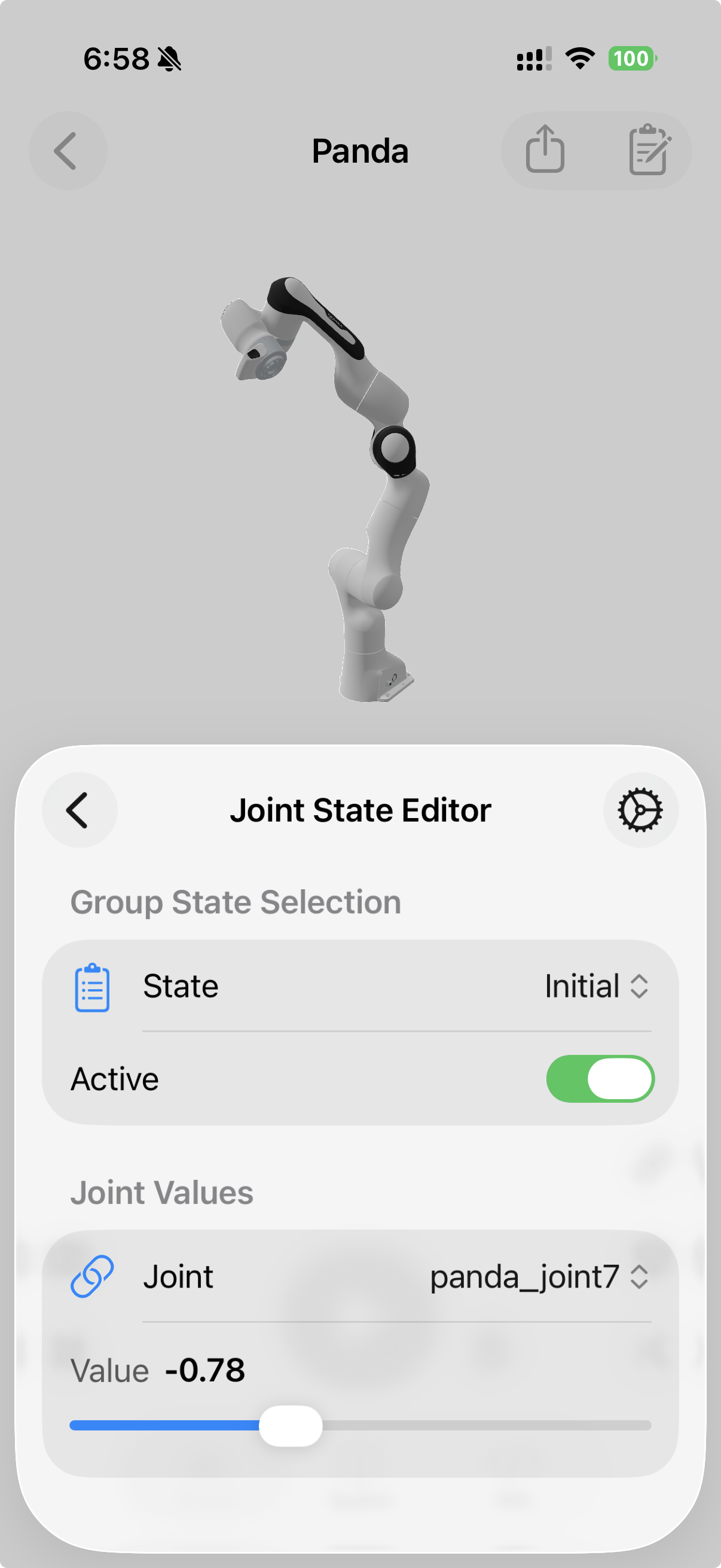
Editing a joint’s value within a state — the Panda’s pose updates live as the slider moves.
Multi-Robot Behavior
In a multi-robot world, each robot instance carries its own semantic description — groups and states are per-robot, not shared across the scene. Two behaviors follow from that:
- Activating a group state positions only the robots that define a state with that name; each activates its own matching state simultaneously.
- Reset restores every robot to its semantic starting position (if one is defined) rather than the unposed URDF default — so a scene’s “resting pose” reflects the states you designed, not just zeroed joints.
Viewing the Raw SRDF
The XML tab shows the generated SRDF as plain text with syntax highlighting — groups, group states, and end-effector definitions. If you haven’t defined any groups yet, this tab shows a minimal SRDF header.
Exporting
Your SRDF is included automatically in an exported URDF & MJCF archive whenever you’ve defined at least one group — ready to drop into a ROS/MoveIt workspace alongside the URDF it describes.
Next Steps
- Basic Workflow — where Semantics fits among the Project Editor’s other sections.
- XML Viewer — inspect the generated SRDF source directly.
- Multi-Robot Worlds — how group states behave across multiple robot instances.
- Exporting URDF & MJCF Archives — take your SRDF to a ROS/MoveIt workspace.