ros2_control Actuators
If a robot’s URDF (or expanded Xacro) includes <ros2_control> blocks describing its joints’ command interfaces, ARMOR compiles those directly into real MuJoCo actuators when the model is simulated — the same actuator layer a physical robot’s controller stack drives, rather than a simplified stand-in.
Why this matters
Without actuator dynamics, moving a joint in simulation means overwriting its position directly (qpos[]) every frame — a robot behaves the same whether it weighs one kilogram or one hundred, and nothing resists gravity, momentum, or contact forces realistically. With ros2_control support, ARMOR instead gives the joint a genuine actuator that has to work against the model’s real inertia, the same way it would on hardware.
What gets compiled
For every joint with a <ros2_control> command interface, ARMOR adds a matching MuJoCo actuator:
ros2_control command interface |
MuJoCo actuator |
|---|---|
position |
<position> |
velocity |
<velocity> |
effort |
<motor> |
Automatic gain computation
Position and velocity actuators need gains (kp, kv) to behave sensibly — too low and the joint sags under its own load; too high and the simulation becomes stiff or unstable. Rather than shipping the same static, near-zero default gains for every joint regardless of what it’s attached to, ARMOR computes a default gain per joint from the child link’s own mass and inertia tensor, targeting critical damping at a fixed bandwidth (ω ≈ 50 rad/s). A heavy forearm link gets a stiffer default than a lightweight fingertip joint, so an imported robot holds a reasonable pose under gravity immediately, without hand-tuning gains before it looks right.
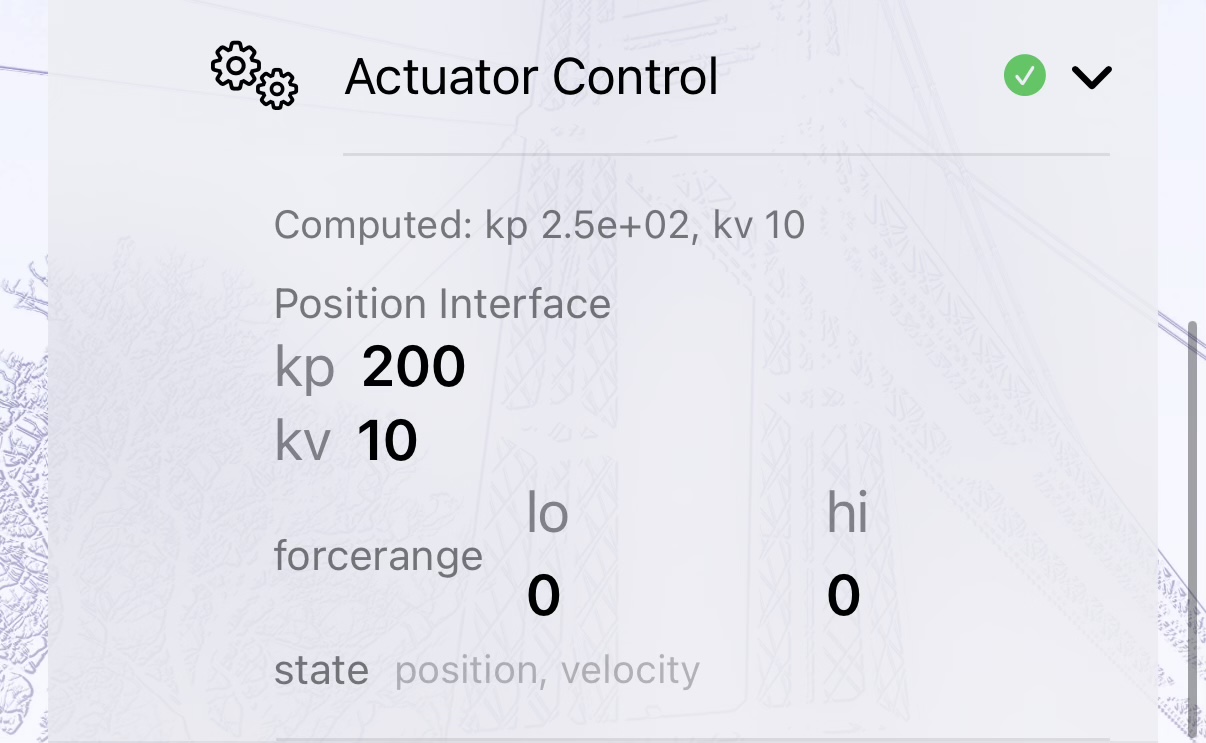
The Actuator Control panel: the “Computed” line shows the physically derived default before you touch anything, and every field underneath is still yours to override.
You can still edit any joint’s dynamics manually — see Joints for the damping and friction fields exposed in the editor.
Multi-robot worlds
In a multi-robot world, each robot instance’s ros2_control actuator blocks are extracted, namespaced (so two instances of the same robot never collide on actuator names — for example robot_0_joint_1 vs robot_1_joint_1), and composed into the single MJCF that drives the shared physics scene. This happens automatically; you don’t need to rename anything yourself when duplicating a robot that has ros2_control actuators.
If a robot has no ros2_control block
Nothing changes — the joint behaves as it always has in ARMOR. This is purely additive: robots that don’t declare ros2_control interfaces are unaffected.
Next Steps
- Joints — edit joint limits, damping, and friction directly.
- Multi-Robot Worlds — placing more than one actuated robot in the same scene.
- XML Viewer — inspect the compiled MJCF, including generated actuators, in the MJCF tab.