Finding URDF Files
Building a highly accurate 3D robotic model with precise physical constraints and mass inertia from scratch is exceptionally difficult. Rather than modeling the kinematics entirely from the ground up, the most reliable and efficient way to start prototyping in ARMOR is by downloading an established, professionally documented URDF (Unified Robot Description Format) file.
Since almost all robot controllers and simulation software platforms standardize around this format, the internet is filled with deeply accurate robotic topologies — ranging from classic open-source bipeds to commercial 6-DOF industrial manipulators.
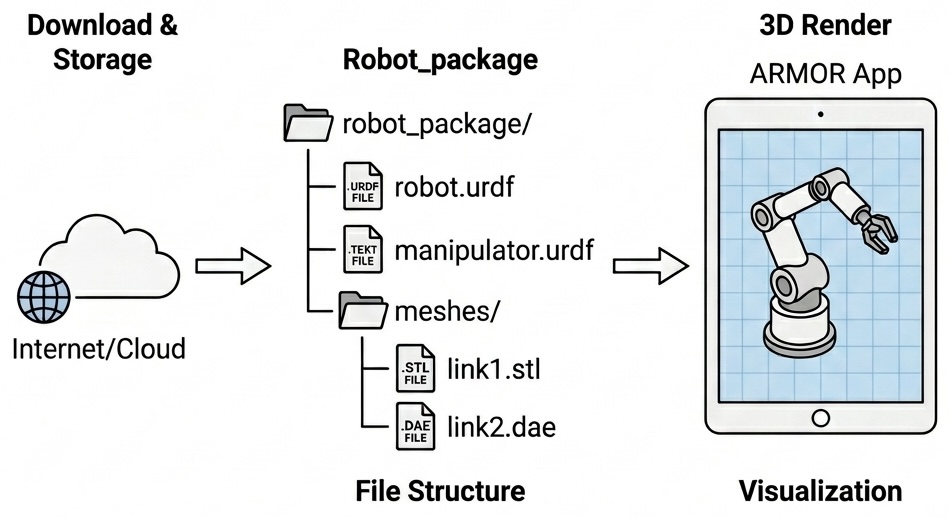
This guide explores the five best ecosystems for sourcing reliable URDF directories to load into ARMOR.
Don’t want to hunt? Start with the Robot Gallery
Everything below is useful once you want to go source-diving yourself, but a growing library of pre-vetted robots — industrial arms, legged platforms, humanoids, drones, and more — is already one tap away in ARMOR’s own Robot Gallery. Every entry is license-checked and downloads straight from the vendor’s own repository, no folder-hunting required.
Browse the Robot Gallery1. Downloading and Loading from GitHub
Regardless of where you source your URDF from, nine times out of ten it will be hosted inside a centralized GitHub repository.
[!WARNING] Because URDF XML files are inherently linked to secondary asset files (like
<mesh>tags pointing to.stl,.obj, or.daegeometries), you cannot simply download the standalone.urdftext file. The robot will fail to render recursively because its 3D assets are missing!
Instead of downloading single files, you must download the entire repository folder (e.g., using GitHub’s Download ZIP button or git clone).
Once the full nested folder structure is downloaded locally to your iPad or Mac:
- Navigate back to the ARMOR Loading URDF Files menu.
- Select the specific sub-folder inside the downloaded repository that uniquely contains your target robot’s assets.
- Note: You can alternatively just select the massive root repository folder itself, though ARMOR will take significantly longer to deep-search the entire hierarchy looking for valid geometry connections.
2. Official Robot Vendors (Commercial)
The absolute highest-quality URDFs come straight from the manufacturer’s engineering divisions. These files are typically heavily optimized for physics engines like MuJoCo and natively designed for ROS (Robot Operating System) node integration. Every vendor below already has at least one robot in ARMOR’s own Robot Gallery, sourced from exactly the repository linked.
Industrial arms
- Universal Robots (UR3, UR5, UR10): The official Universal_Robots_ROS2_Description repository contains the absolute standard URDF/Xacro templates used across industrial factory simulators natively.
- Franka Emika / Franka Robotics (Panda, FR3): The highly utilized 7-DOF arm’s underlying kinematic topology can be cloned directly from their franka_ros GitHub footprint.
- FANUC: fanuc_description is FANUC’s own official ROS 2 URDF/xacro tree, covering the LR Mate and several other industrial arm families.
- Doosan Robotics (M-series, A-series): doosan-robot2 is Doosan’s own official ROS 2 description repository for its collaborative arms.
- Kinova Robotics (Gen3): ros2_kortex is Kinova’s own repository for the Gen3 arm family.
- Yaskawa Motoman: motoman_ros2_support_packages is Yaskawa’s own official ROS 2 description set for its Motoman arm lineup.
- Techman Robot (TM-series): tmr_ros2 is Techman’s own ROS 2 package for its collaborative arms.
- Dobot (CR-series): TCP-IP-ROS-6AXis is Dobot’s own repository for its collaborative arm line.
Legged and mobile platforms
- Boston Dynamics Spot: The official Spot SDK repository ships a complete URDF (both base and arm variants) directly — no third-party aggregator needed.
- Unitree Robotics (Go2, H1, G1, and more): unitree_ros is Unitree’s own repository, covering its full legged lineup.
- ANYbotics (ANYmal D): anymal_d_simple_description is ANYbotics’ own simplified description of the ANYmal D quadruped.
- Clearpath Robotics (Husky): husky is Clearpath’s own description of the Husky unmanned ground vehicle.
Desktop, aerial, and educational robots
- Bitcraze (Crazyflie): crazyflie-simulation is Bitcraze’s own official description of the Crazyflie micro-quadrotor.
- Pollen Robotics (Reachy Mini): reachy_mini is Pollen’s own description of the Reachy Mini desktop robot (video).
- Petoi (Bittle): ros_opencat is Petoi’s own ROS integration for the Bittle desktop robot dog.
- Source Robotics (PAROL6): PAROL6-Desktop-robot-arm is Source Robotics’ own description of its open-source desktop arm.
- Modena Robotics (MR-3 Mini): mr3_mini_description is Modena’s own description of the MR-3 Mini.
- RobotEra (STAR1): models is RobotEra’s own repository for its STAR1 humanoid.
- Enactic (OpenArm): openarm_description is Enactic’s own description of its bimanual OpenArm platform.
- RoboParty (ROBOTO_ORIGIN): roboto_origin is RoboParty’s own aggregation repository for its open-source bipedal humanoid.
3. ROS-Industrial
Not every industrial robot manufacturer publishes its own URDF — for many, the closest thing to an official source is ROS-Industrial, a consortium that fills that gap. It began in January 2012 as a collaboration between Yaskawa Motoman, the Southwest Research Institute (SwRI), and Willow Garage to bring ROS into industrial manufacturing, and grew into a global consortium — SwRI leading the Americas chapter, Fraunhofer IPA leading Europe, and ARTC/NTU leading Asia Pacific. It’s community-maintained, not published by the robot manufacturers themselves, so treat it as a strong secondary source rather than a first-party one — worth calling out explicitly if you use one of its descriptions in a video or writeup.
Finding the URDF files it hosts: everything lives under the ros-industrial GitHub organization, organized as one repository per manufacturer family — ros-industrial/abb, ros-industrial/kuka_experimental, ros-industrial/staubli, and others. Inside each, look for a package named <vendor>_<model>_support (for example abb_irb6640_support) — that package’s own urdf/ folder holds the xacro description for that specific model. ARMOR’s own Robot Gallery sources its ABB IRB 6640, KUKA KR 16-2, and Stäubli RX160 entries from exactly this pattern.
4. Software Simulation Environments
Before reaching hardware, engineers design control algorithms inside high-fidelity math simulations. Because these engines require extreme precision, their supporting open-source repositories often act as “jackpots” for discovering highly-tuned, commercial-tier URDF collections.
- MuJoCo Menagerie: By far the highest quality curation available online. Maintained officially by Google DeepMind, mujoco_menagerie meticulously curates over a dozen robots directly converted into MuJoCo’s MJCF and standard URDFs—including the ANYmal quadruped, the Unitree series, Google Barkour, and the Agility Cassie biped.
- Matlab & MIT Drake: Both the MathWorks Robotics System Toolbox and Massachusetts Institute of Technology’s Drake physics simulation framework host incredibly robust nested examples of both industrial and academic URDF environments ready to be imported mathematically.
- Robotics Toolbox for Python: Peter Corke’s widely-used robotics-toolbox-python bundles URDF/xacro models for ~50 robots — Franka Panda, UR5, ABB, KUKA, and more — alongside its kinematics and planning code. Worth knowing about, but check what a model’s own docstring cites as its source before treating the Toolbox itself as the origin: several of its models (YuMi among them) are themselves a repackaging of a description published elsewhere, one hop removed from wherever it actually originates.
5. Open-Source Aggregators
If you aren’t looking for a specific commercial arm but just want to deeply explore dozens of wildly different geometric setups, robotic enthusiasts maintain staggering aggregations online.
- Awesome Robot Descriptions: A curated list (robot-descriptions/awesome-robot-descriptions) of 185+ open-source URDF and MJCF robot descriptions — arms, legged platforms, wheeled robots, and combinations thereof. Browse it directly on GitHub and grab whichever repository you need; it’s the most reliable way in. The same project also publishes
robot_descriptions.py, a Python package meant to fetch these programmatically — worth knowing about, but it can be finicky to get running locally, so the curated list itself is the better starting point if you just want to browse and download. urdf_files_dataset: Legacy monolithic dataset dumps like Daniella1/urdf_files_dataset are incredibly useful repos that aggregate dozens of raw XML/mesh topologies into a single massive index.
Once downloaded, these mega-datasets are structurally perfect for dropping straight into ARMOR’s hierarchical folder reader!
6. Popular Robot URDFs to Try in ARMOR
Not sure where to start? These are popular, well-documented robot URDFs that load and simulate beautifully in ARMOR — each shown here rendered in augmented reality on an iPhone, and each links straight to its own Robot Gallery entry:
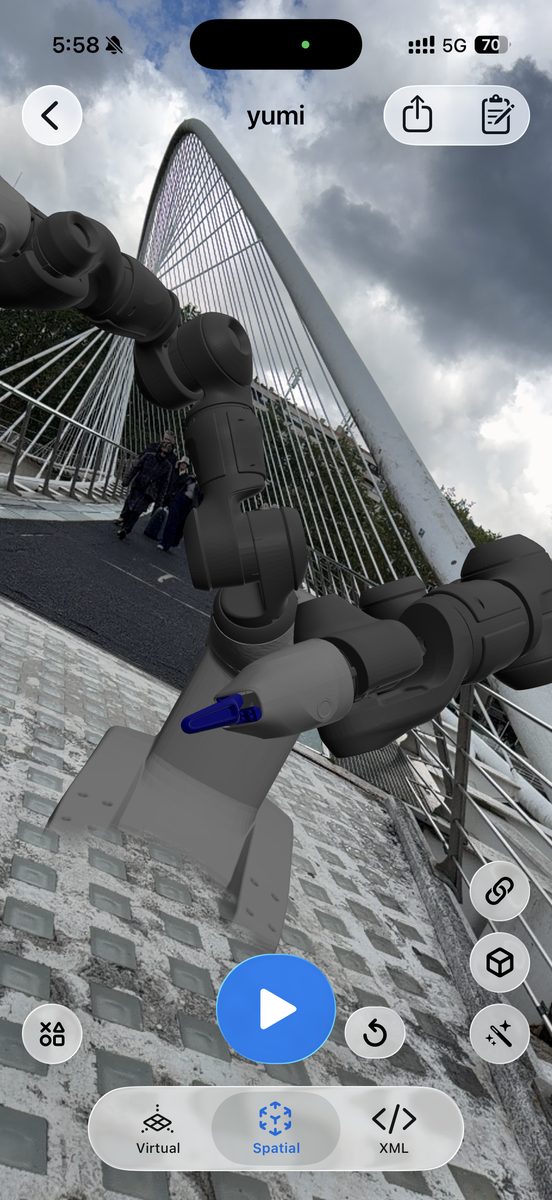
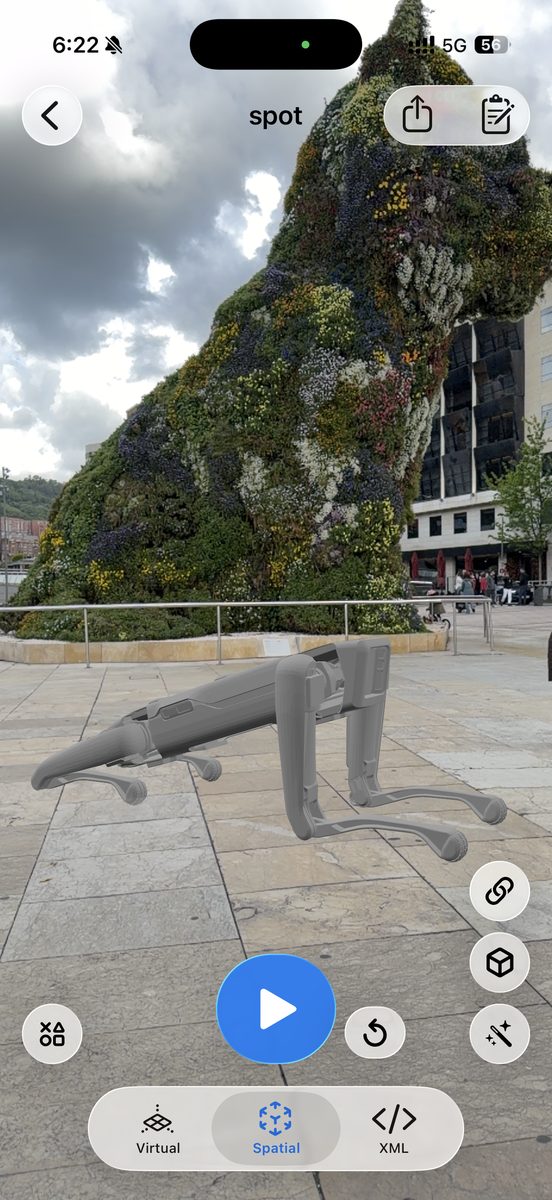
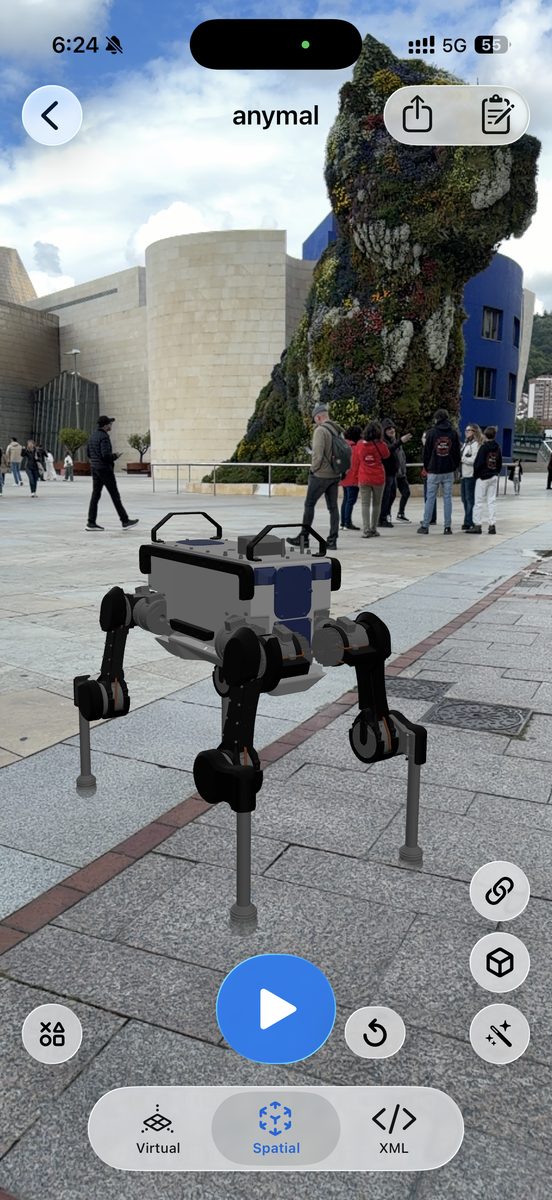
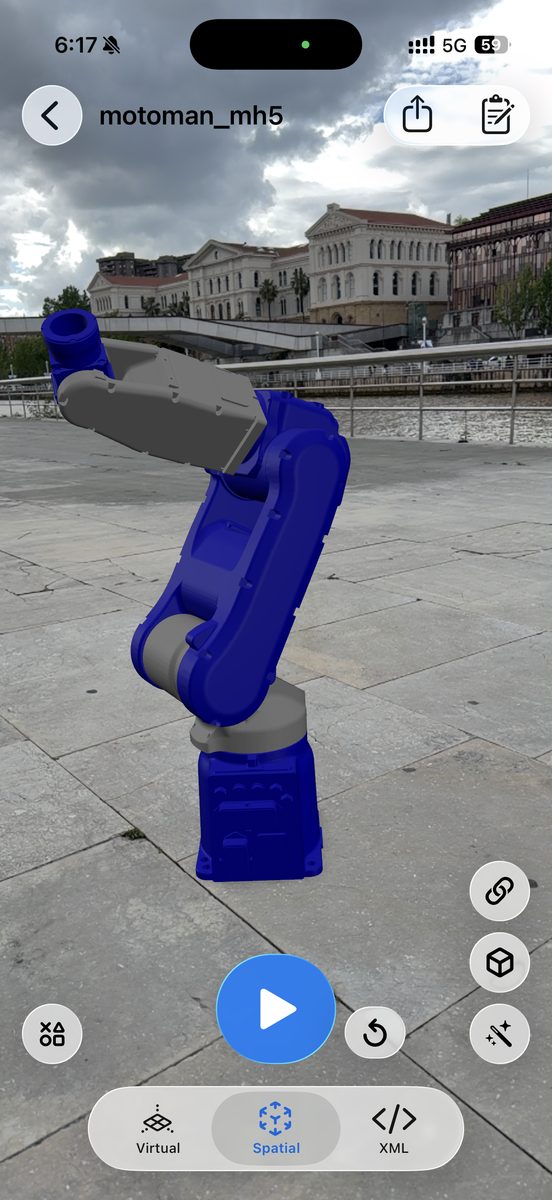
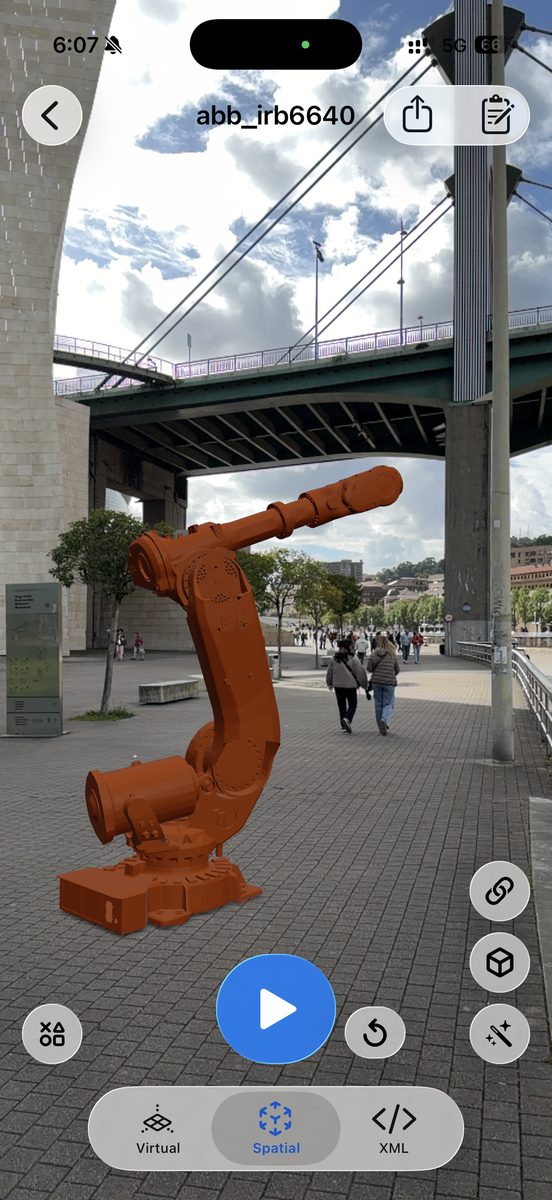
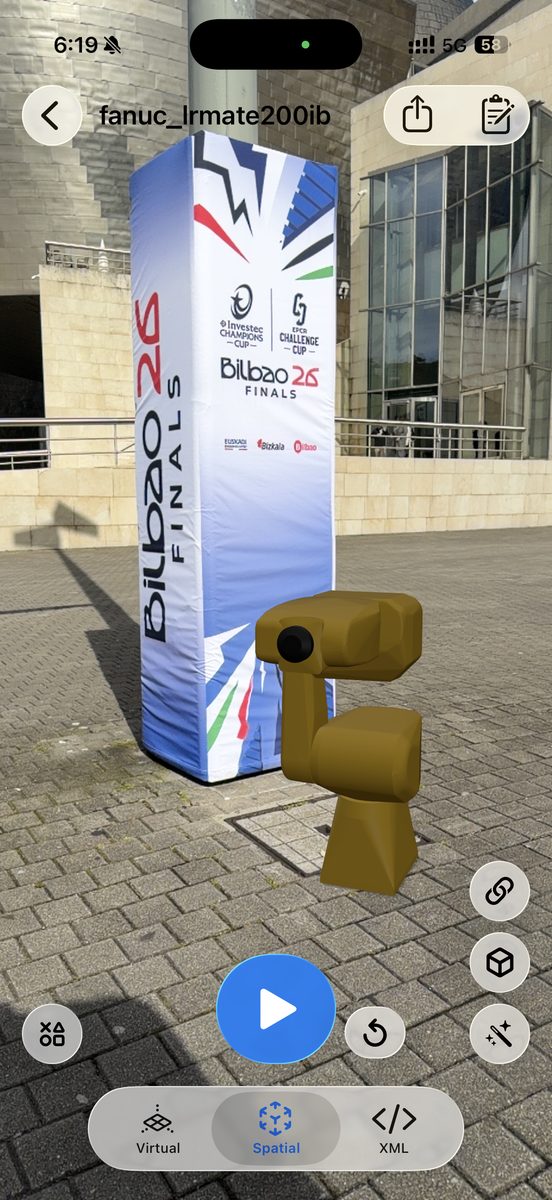
The industrial arms above (Motoman MH5, ABB IRB 6640, FANUC LR Mate 200iB) come from the ROS-Industrial repositories and the urdf_files_dataset; ANYmal is in the MuJoCo Menagerie and Spot in the urdf_files_dataset (oems subdirectory). Also great to try: the Reachy Mini (video), Boston Dynamics Atlas, Unitree G1/H1/Go2, and the Franka Emika Panda and Universal Robots UR5 arms.
Open in ARMOR: download any of the above, then follow Loading URDF Files to import the folder. Or skip the hunting entirely — every vendor and robot named on this page (and dozens more) is already one tap away in the Robot Gallery; see Robot Gallery & Deep Links for how one-tap import works. New to the app? Start with Getting Started, or download ARMOR on the App Store. For more robot demos, browse the video gallery and the blog.