Understanding MuJoCo Source (MJCF)
ARMOR’s physics simulation runs on MuJoCo (by Google DeepMind), and every model you simulate — a single robot or a full multi-robot world — is ultimately compiled into MuJoCo’s own native format, MJCF. You never have to write MJCF by hand to use ARMOR, but understanding what it is makes the MJCF tab and exported archives much easier to read.
MJCF vs. URDF
URDF is what you import and edit in ARMOR — it describes a robot’s links, joints, and visual/collision geometry, and nothing else. MJCF (MuJoCo’s own XML format, conventionally an .xml file with a <mujoco> root element) is a superset of that idea: it describes the same kinematic tree, but also everything else a physics simulation needs — actuators, contact and solver settings, sensors, lighting, and the world itself (ground plane, obstacles, gravity).
ARMOR compiles your project’s URDF, world settings, and ros2_control actuators into MJCF automatically every time you simulate. The MJCF tab in the XML Viewer shows you exactly what that compiled model looks like, and it’s the same file an exported archive ships for use in desktop MuJoCo.
Reading an MJCF file
A few top-level elements you’ll see in almost every MJCF file:
| Element | What it holds |
|---|---|
<compiler> |
Global options — angle units, mesh directory, coordinate conventions. |
<asset> |
Mesh, texture, and material definitions referenced by name elsewhere in the file. |
<worldbody> |
The scene graph itself — bodies (links), joints, geoms (visual/collision shapes), lights, and cameras, nested to mirror the kinematic tree. |
<actuator> |
Motors, position servos, and velocity servos that drive joints — see ros2_control Actuators for how ARMOR populates this. |
<contact> / <default> |
Solver and contact-pair tuning, and default attribute values inherited by unlabeled elements. |
Because <worldbody> mirrors your robot’s kinematic tree directly, the fastest way to find your bearings in an unfamiliar MJCF file is to search for a link name you recognize from the URDF — you’ll find it as a <body name="..."> in roughly the same nesting structure.
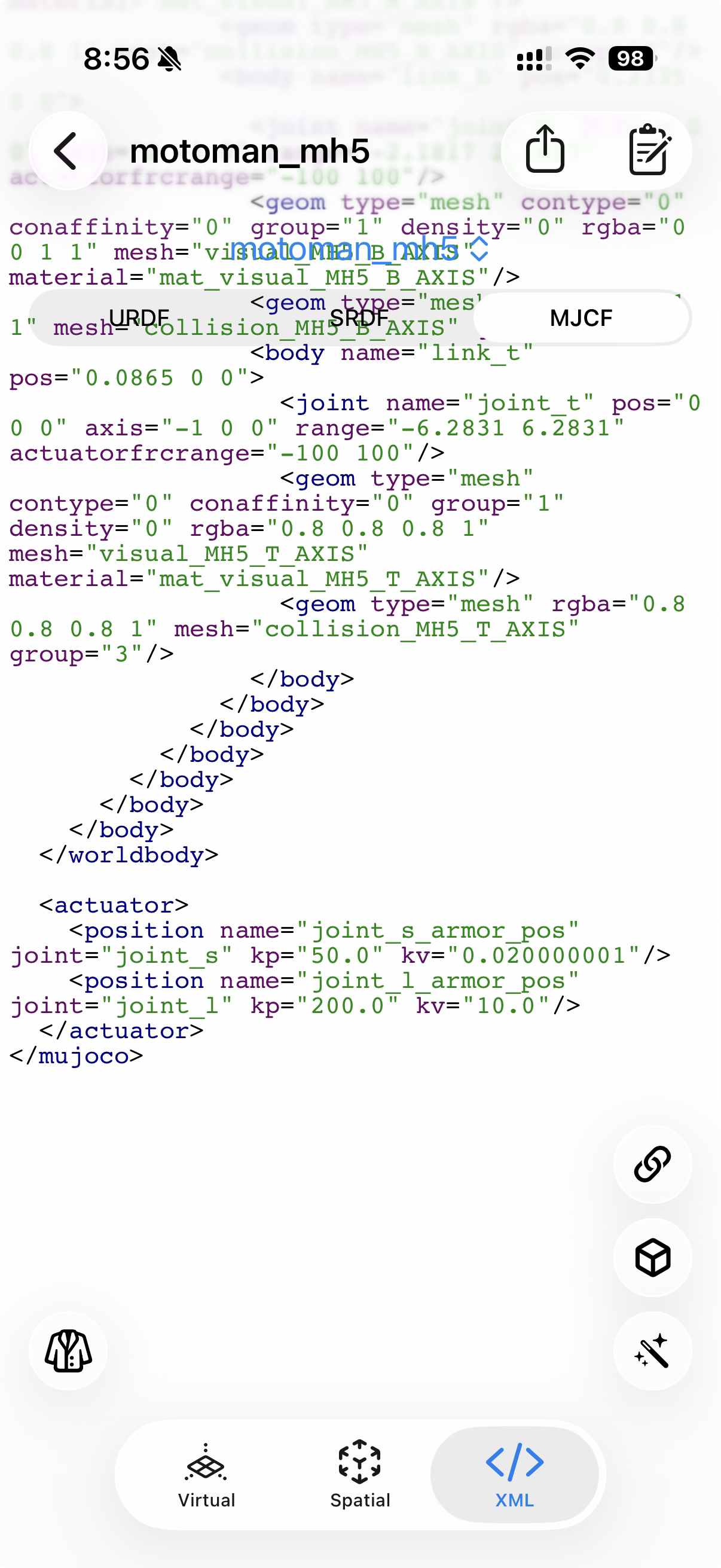
The tail end of a compiled MJCF file: </worldbody> closes out the kinematic tree, followed by the <actuator> block — here, two <position> actuators with their computed kp/kv gains.
Worked examples: MuJoCo PyDemos
For real MJCF models paired with the Python simulation code that drives them, see MuJoCo PyDemos — a companion site of open-source Python simulations built directly on the MuJoCo physics engine. Each demo pairs an MJCF model with a Python simulation script, a rendered video, and state-variable plots, covering rigid-body dynamics, contacts, and constrained motion:
| Demo | What it shows |
|---|---|
| Double Pendulum | Two rigid links joined by cylindrical hinges, swinging in a vertical plane under lunar gravity — released near the inverted position, the motion turns chaotic within seconds. |
| Rattleback (Celtic Stone) | An ellipsoidal stone whose inertia principal axes are tilted relative to its geometric axes, producing spontaneous spin reversal through gyroscopic coupling. |
| Four-Bar Linkage | Crank, coupler, and follower links connected by pin joints and closed through MuJoCo’s equality constraint solver — a classic mechanism oscillating under gravity. |
| T-Handle | A free-floating T-shaped body in zero gravity demonstrating the intermediate axis theorem — periodic 180° flipping while angular momentum and kinetic energy stay exactly conserved. |
Source code for every demo is on GitHub at radcli14/MuJoCo-PyDemos, and rendered videos are collected on a YouTube playlist linked from the site.
Next Steps
- XML Viewer — inspect your own project’s compiled MJCF.
- ros2_control Actuators — how joints become MuJoCo actuators.
- Exporting URDF & MJCF Archives — take the compiled MJCF to a desktop MuJoCo install.
- MuJoCo PyDemos — worked MJCF + Python simulation examples.