Xacro Support
Many real robot descriptions — especially ROS-native ones like the Franka Emika Panda and FR3 — aren’t published as a plain URDF at all, but as Xacro (.xacro), an XML macro language layered on top of URDF. ARMOR expands Xacro on-device, so you can import a robot straight from its native repository without running a separate build step first.
What gets expanded
When you load a .xacro file (or select a folder whose entry point is one), ARMOR’s Xacro preprocessor resolves:
- Macros (
<xacro:macro>/<xacro:call>and shorthand macro-tag invocations), evaluated with true dynamic scoping — a macro body sees its caller’s parameters, not a flattened global namespace. - Includes (
<xacro:include filename="$(find package)/...">), followed recursively, with$(find <package>)resolved against the folder structure you imported. - Conditionals (
<xacro:if>/<xacro:unless>), so branches that evaluate false are skipped entirely rather than producing invalid XML. - Arguments and properties (
<xacro:arg>,<xacro:property>, includinglazy_eval="false"properties and${...}Python-style expressions). - Block insertion (
<xacro:insert_block>) and YAML property loading (xacro.load_yaml).
The result is expanded into a real, in-memory URDF — links, joints, and mesh references — the same representation ARMOR uses for any other robot, so every editor, viewer, and export feature works identically afterward. There’s nothing in the app that distinguishes a robot that started as Xacro from one that started as a plain URDF once it’s imported.
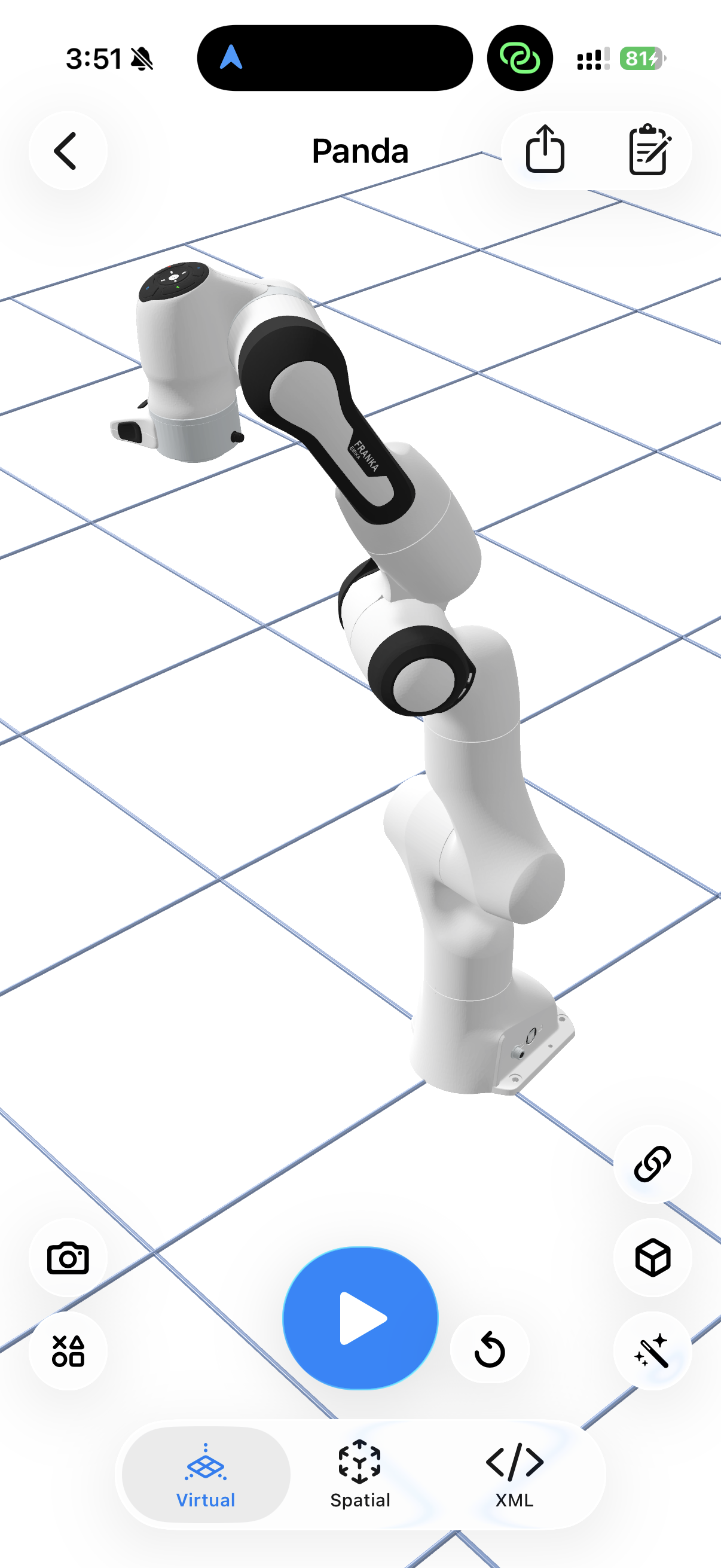
The Franka Emika Panda, imported straight from its Xacro-only source repository — same viewer, editor, and export tools as any other robot.
What this means in practice
- You can import directly from a repository’s own
urdf/orrobots/folder, even when it only contains.xacrofiles — no separate expansion tool needed. - Robots with parametric variants driven by
$(arg ...)(for example, an arm with an optional gripper attachment) expand differently depending on which variant you select — see the robot’s own documentation or gallery entry for which arguments distinguish its variants. - A malformed or incomplete Xacro tree (a missing include, a macro that references an undefined property) fails to expand the same way an invalid URDF fails to parse — see Validating for what that looks like.
Next Steps
- Loading URDF Files — the general import flow, including supported formats.
- Robot Gallery & Deep Links — several gallery robots are delivered as Xacro trees and expanded automatically on import.
- Finding URDF Files — where to find robot descriptions, including Xacro-only sources.